
Business Insurance Information Organizer: Small Business Guide


TL;DR:
A business insurance information organizer helps small businesses track all policies, expiration dates, and key data. It prevents coverage gaps by ensuring proper documentation, updates, and reviews. Organized records improve broker communication, streamline audits, and protect businesses from financial risks.
A business insurance information organizer is a structured system for collecting, storing, and managing every insurance policy document and key data point your business depends on. Without one, small business owners routinely discover coverage gaps only after a claim is denied or a contract falls through. The industry term for this practice is insurance portfolio management, and a dedicated organizer is its foundation. This guide walks you through exactly what to track, how to set up your system, and what mistakes to avoid so your coverage stays current and your compliance stays solid.
What should a business insurance information organizer include?
An effective business insurance information organizer must track at least six critical data points: carrier name, policy number, coverage limits, effective and expiration dates, and additional insured status. Each field serves a specific purpose. Carrier name tells you who to call. Policy number is required on every claim and contract. Additional insured status determines whether a vendor or landlord is covered under your policy.

Core policy types to document
Most small businesses carry more than one policy. Each one needs its own entry in your organizer. The most common types include:
Business Owner’s Policy (BOP): A BOP bundles general liability, commercial property, and business income insurance, with typical costs ranging from $57 to $150 per month. It is the most common starting point for small businesses.
Workers’ Compensation: Required in most states once you hire employees. Track the policy number, carrier, and the classification codes assigned to your workers.
Commercial Auto: Covers vehicles owned or used by the business. Note each vehicle’s VIN alongside the policy details.
Professional Liability (E&O): Protects against claims of negligence or errors in services you provide. Especially critical for consultants, accountants, and contractors.
Cyber Liability: Covers data breaches and network failures. This is a specialty line that often requires separate documentation.
Certificates of Insurance and vendor documents
A Certificate of Insurance (COI) is a snapshot of coverage at a given moment. A COI is not a substitute for the full policy. Gaps between a COI’s effective and expiration dates can leave your business exposed to uninsured losses. Store both the COI and the full policy declaration page for every line of coverage.
You also need to track COIs from your vendors and subcontractors. If a vendor’s coverage lapses and they cause damage on your property, you may be liable. Keep a separate folder for third-party COIs with their expiration dates flagged.
Document type | Required fields |
Policy declaration page | Carrier, policy number, limits, dates, named insured |
Certificate of Insurance | Issuing carrier, effective date, expiration date, additional insured |
Vendor COI | Vendor name, their carrier, coverage type, expiration date |
Endorsements | Policy number, endorsement number, effective date, change summary |
Claims records | Claim number, date filed, status, adjuster contact |
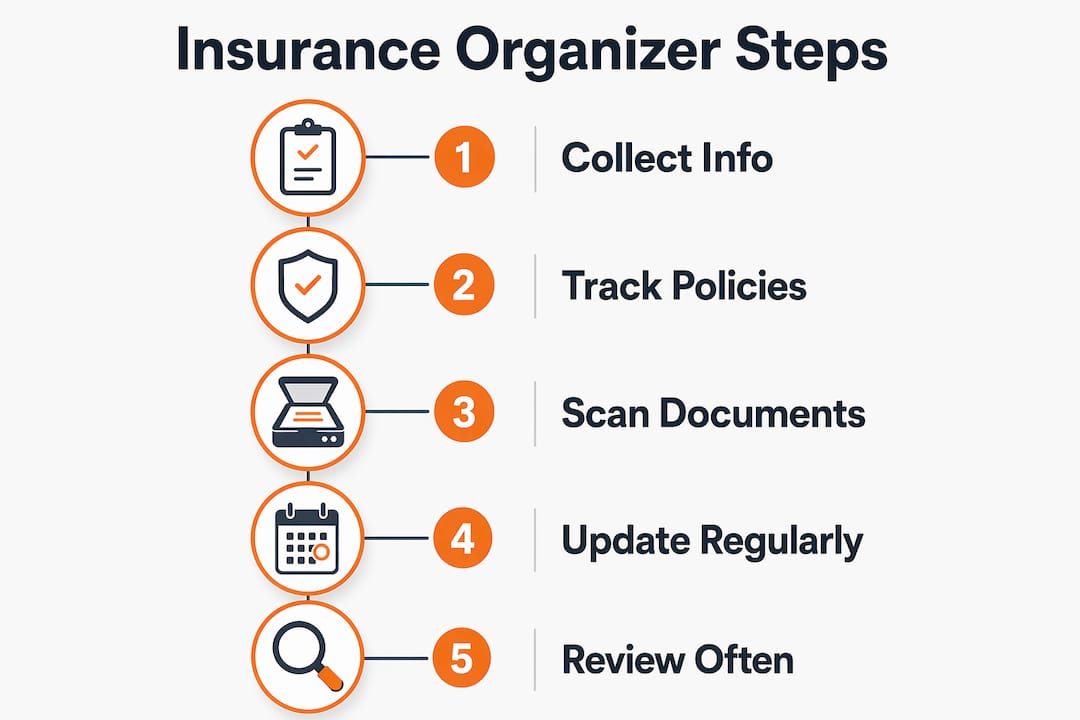
Pro Tip: Scan every physical document and save it as a PDF with a consistent naming convention: CarrierName_PolicyType_ExpirationYear. This makes searching fast and reduces the risk of losing a document.
How do you set up and maintain an insurance organizer system?
Setting up an insurance document organizer takes one focused afternoon. Maintaining it takes about 30 minutes per quarter. The payoff is knowing exactly where every policy stands at any moment.
Step-by-step setup process
Audit what you have. Pull every policy, COI, and endorsement from your email, filing cabinet, and broker portal. List each one on a master spreadsheet before organizing anything.
Choose your storage format. A Google Sheets or Microsoft Excel spreadsheet works for most small businesses. Dedicated platforms offer more automation. A physical binder is a reliable backup but should not be your only copy.
Create a folder structure. Use one top-level folder per policy type (General Liability, Workers Comp, Commercial Auto). Inside each folder, create subfolders by year.
Enter your six core data fields. For every policy, record carrier name, policy number, coverage limits, effective date, expiration date, and additional insured status. These are the fields that matter most during a claim or audit.
Add a “trigger events” column. Updating the organizer after events like payroll changes, new hires, or entering new markets is more important than relying on annual reviews alone. A trigger events column flags when a specific change requires a policy update.
Set calendar reminders. Add renewal date reminders 90 days, 60 days, and 30 days before each policy expires. This gives you time to shop, compare, and avoid a lapse.
Store a backup copy offsite. Use a cloud service like Google Drive or Dropbox. A fire or flood that destroys your office should not also destroy your insurance records.
How often should you review your organizer?
Business insurance portfolios need review every 6–12 months or after any significant operational change. That review interval is a minimum, not a ceiling. A live “insurance state” document that tracks trigger dates, policy expirations, and complex scenarios helps avoid coverage pitfalls and clarifies when to bring in a specialist.
Trigger events that require an immediate organizer update include:
Hiring your first employee or crossing a payroll threshold
Purchasing a new vehicle, piece of equipment, or property
Launching a new service line or product
Signing a contract that requires specific coverage limits or additional insured status
Expanding into a new state or market
Pro Tip: Add a “when to call your broker” flag in your organizer. For complex situations like cyber liability, multi-state coverage, or professional liability for a new service, flag the entry and schedule a broker call before the change takes effect. This prevents the most expensive coverage gaps.
The organizer’s effectiveness depends on adapting to non-annual events, not just calendar reminders. A business that adds a delivery vehicle in march and waits until december to update its commercial auto policy has been driving uninsured for nine months.
What are the most common mistakes in organizing business insurance?
The biggest risk for small business owners is default insurance behavior: accepting a policy without understanding what it covers, then never revisiting it. This leads to both under-insurance and over-insurance, and an organizer that never gets updated.
“A coverage gap is not a paperwork problem. It is a financial exposure that can end a business. The organizer is the system that prevents the gap from forming in the first place.”
Mistakes that create real financial exposure
Treating a COI as the full policy. A COI shows a moment in time. It does not show exclusions, sublimits, or endorsements. Always store the full declaration page alongside the COI.
Ignoring expiration dates. A policy that expires on a friday and is not renewed until monday leaves your business uninsured for a weekend. That is when accidents happen.
Missing additional insured requirements. Many commercial leases and vendor contracts require you to list the other party as an additional insured. Failing to do this can void a contract or trigger a lawsuit.
Not updating after business changes. Insurance needs vary by industry, size, and operations. A business that doubles its revenue, adds employees, or moves to a new location has materially different risk than it did at the last renewal.
Skipping the annual audit. An organizer that is never reviewed becomes outdated. Schedule a formal review at least once per year, even if no major changes occurred.
Storing documents in only one place. A single hard drive or filing cabinet is a single point of failure. Cloud backup is not optional.
The most overlooked mistake is failing to document what you do not have. If your business does not carry cyber liability or professional liability, note that explicitly in your organizer. This forces a conscious decision rather than an accidental omission.
How does an organized insurance system help with brokers and audits?
Organizing insurance information transforms a perceived administrative burden into a proactive financial safeguard. Brokers and auditors both work faster and more accurately when you arrive with complete, current documentation.
Faster broker communication and better quotes
Independent insurance agents and digital brokers help find niche insurers and manage policies more efficiently. When you hand a broker a complete organizer, they spend less time chasing documents and more time finding you competitive coverage. Brokers who receive organized intake information can often turn around quotes faster and identify coverage gaps you may have missed.
The practical benefits of organized documentation for broker relationships include:
Faster quote turnaround because the broker has all required data upfront
Clearer identification of coverage gaps when comparing your current limits to contract requirements
Stronger negotiating position at renewal because you can show a clean claims history and current coverage details
Easier mid-term endorsements when you need to add a vehicle, location, or additional insured quickly
Compliance audits and contract reviews
Workers’ compensation audits are a routine part of business for any company with employees. The auditor will ask for payroll records, employee classifications, and your policy declaration page. An organized system means you can produce all three in minutes, not days. The same applies to vendor contract reviews, where a client or partner may require proof of specific coverage limits before signing.
Pro Tip: Keep a one-page insurance summary at the front of your organizer. List every active policy, its carrier, its limits, and its expiration date. This single page answers 90% of the questions brokers, auditors, and contract managers will ask.
For businesses managing fleet insurance renewal processes, an organized system is especially critical because multiple policies renew at different times and a single lapse can ground operations.
Key Takeaways
A well-maintained business insurance information organizer is the single most effective tool for preventing coverage gaps, passing audits, and communicating clearly with brokers.
Point | Details |
Track six core data fields | Record carrier, policy number, limits, effective date, expiration date, and additional insured status for every policy. |
Review every 6–12 months | Audit your full portfolio at least twice a year and immediately after any major business change. |
COIs are not full policies | Store the complete declaration page alongside every Certificate of Insurance to avoid missing exclusions. |
Update on trigger events | Add employees, vehicles, or new service lines to your organizer the same week the change occurs. |
Flag complex coverage needs | Mark cyber liability, multi-state policies, and professional liability entries for specialist review. |
Why I think most small businesses are one missed renewal away from disaster
Most small business owners I have worked with treat insurance like a utility bill. They set it up once, pay the premium, and forget it exists until something goes wrong. The problem is that a utility bill does not have exclusions, sublimits, or additional insured requirements. Insurance does.
The organizer is not the goal. The goal is knowing, at any moment, exactly what your business is covered for and what it is not. The organizer is just the tool that makes that knowledge accessible. I have seen businesses lose contracts because they could not produce a current COI on short notice. I have seen claims denied because a policy was not updated after a new employee started driving a company vehicle. Both situations were preventable with a two-hour setup and a quarterly 30-minute review.
The mindset shift that matters most is treating your insurance organizer the same way you treat your financial records. You would not go a year without looking at your profit and loss statement. Your insurance portfolio deserves the same attention, because a single uninsured loss can do more damage to your business than a bad quarter.
Start simple. A spreadsheet with six columns and a folder of PDFs is enough to get organized. Build from there as your business grows. The businesses that survive unexpected events are not always the ones with the most coverage. They are the ones that knew exactly what they had when they needed it.
— Guyorguy
How Insuaria helps you get organized before your broker call

Insuaria is a compliance-first intake platform built to help small business owners organize the information a licensed insurance professional needs to review their coverage. Instead of scrambling to find policy numbers and carrier names before a broker call, you complete a structured intake form that captures every critical detail in one place. Insuaria does not provide insurance advice or bind coverage. Licensed agency partners handle all quotes and coverage decisions. If you are ready to take the first step toward a cleaner, more organized insurance process, start your business intake today and let a licensed professional take it from there.
FAQ
What is a business insurance information organizer?
A business insurance information organizer is a structured system, whether a spreadsheet, digital platform, or physical binder, for storing every policy document, key data field, and renewal date your business needs. It serves as the central reference point for claims, audits, and broker communications.
What are the six fields every insurance organizer must include?
Every policy entry should include carrier name, policy number, coverage limits, effective date, expiration date, and additional insured status. These six fields answer the most common questions from brokers, auditors, and contract managers.
How often should a small business update its insurance organizer?
Review your portfolio every 6–12 months at minimum. Update it immediately after trigger events like hiring employees, purchasing assets, or signing contracts that require new coverage.
Is a Certificate of Insurance the same as an insurance policy?
No. A COI is a summary document that confirms coverage exists at a point in time. It does not replace the full policy and does not show exclusions or endorsements. Always store the full declaration page alongside every COI.
What tools work best for organizing business insurance documents?
Google Sheets and Microsoft Excel work well for most small businesses starting out. Cloud storage platforms like Google Drive or Dropbox provide secure, accessible backup. Insuaria’s intake platform offers a structured digital format designed specifically for insurance documentation before a licensed professional review.
Recommended
Comments